Countersign

The fast way into
your Bitwarden vault.

A keyboard-first desktop app for Omarchy and Hyprland, written in Rust. Type a few letters, press Enter, and the password is on your clipboard. Thirty seconds later, it isn't.

Try this
  • copy, then watch the code replace it
  • bank an item that asks twice
  • Ctrl L lock, and the sentry ducks
  • Ctrl T your browser keeps this one, so click it

This window runs in your browser on a fictional vault and never touches your real clipboard.
The app itself: x86_64 and ARM · GPL-3.0 · other Hyprland desktops build from source.

Locks when you do
  • After 15 idle minutes
  • When the screen locks
  • Before the computer sleeps
30–50 ms
for quick access to open
0.21–0.42 ms
to search 5,000 items per keystroke
12–18 ms
to copy to the clipboard
88 MB
for the app and daemon together
0.00%
idle CPU over 30 seconds

Measured on 31 October 2026 on Omarchy 4.0.6 with release builds. GTK timings come from a headless display, so painting on Hyprland has not been timed. The official CLI adds 205–300 MB of its own. All the numbers

We left the cryptography to Bitwarden.

Countersign never encrypts your vault and never talks to Bitwarden's servers. The official CLI does both. We wrote the window, the keys and the cleanup.

  1. You press Enter in quick access.
  2. The app asks the daemon to copy. It sends an item id, never a secret.
  3. The daemon asks the official CLI over a private socket pair.
  4. The CLI decrypts the value and hands it to the daemon.
  5. The daemon puts it on the clipboard. The app never sees it.

It wears your theme.

Countersign reads Omarchy's active palette and Hyprland's corner rounding, in light or dark, and switches when you do. Press a theme. This page uses the same real colors.

InkyPinky is by HANCORE. The rest ship with Omarchy.

The whole vault lives here too.

Quick access gets you in and out. The main window handles everything else, with the same keys.
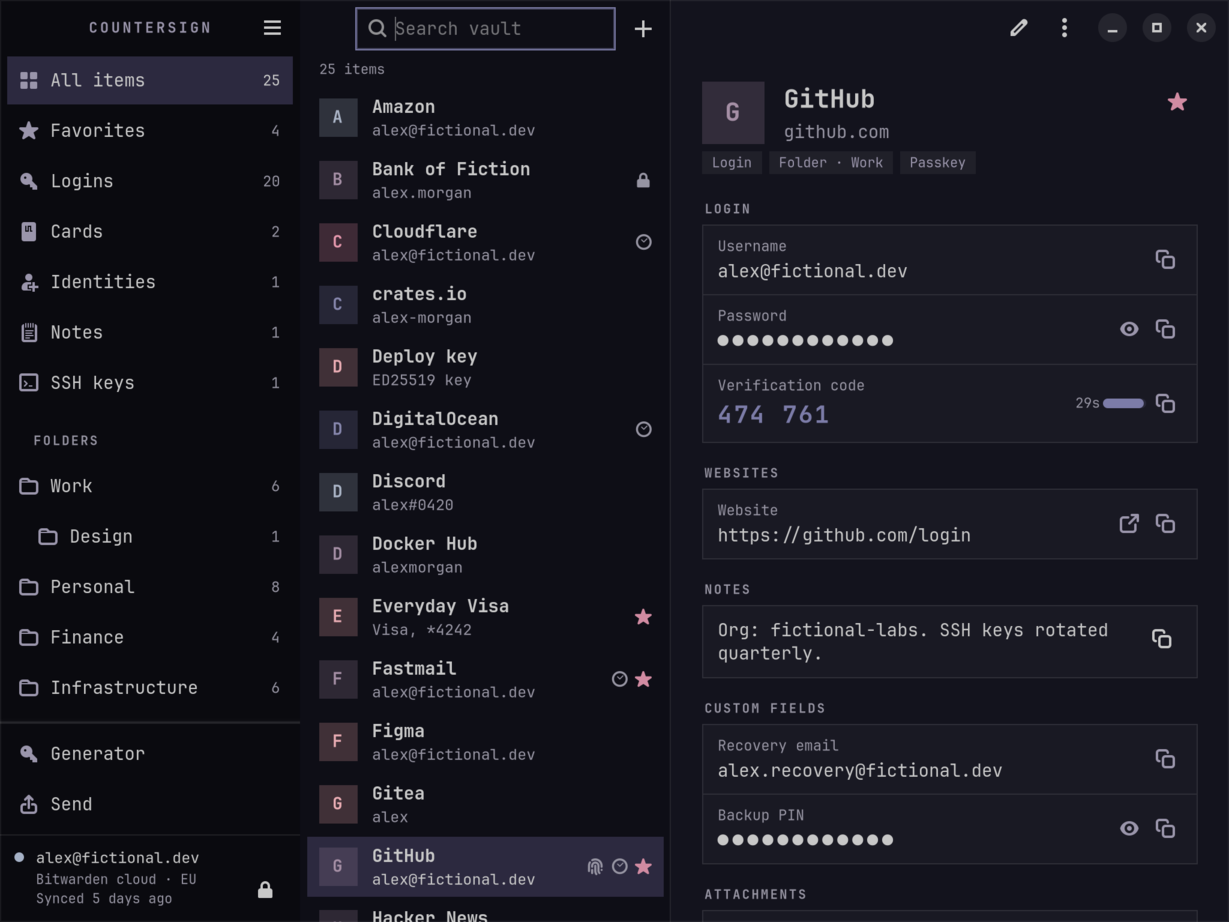
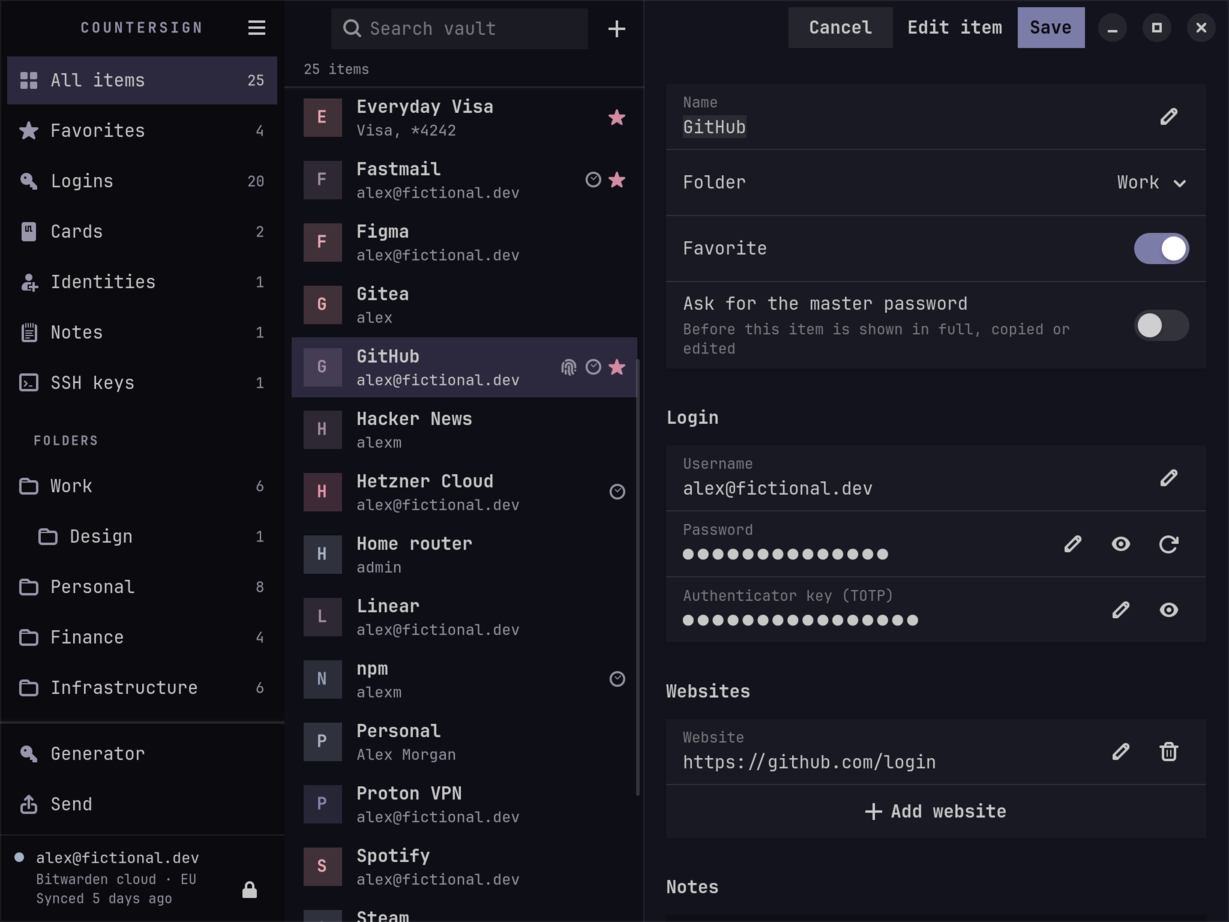
The main window with a sidebar of item types and folders, a list of items, and GitHub's details
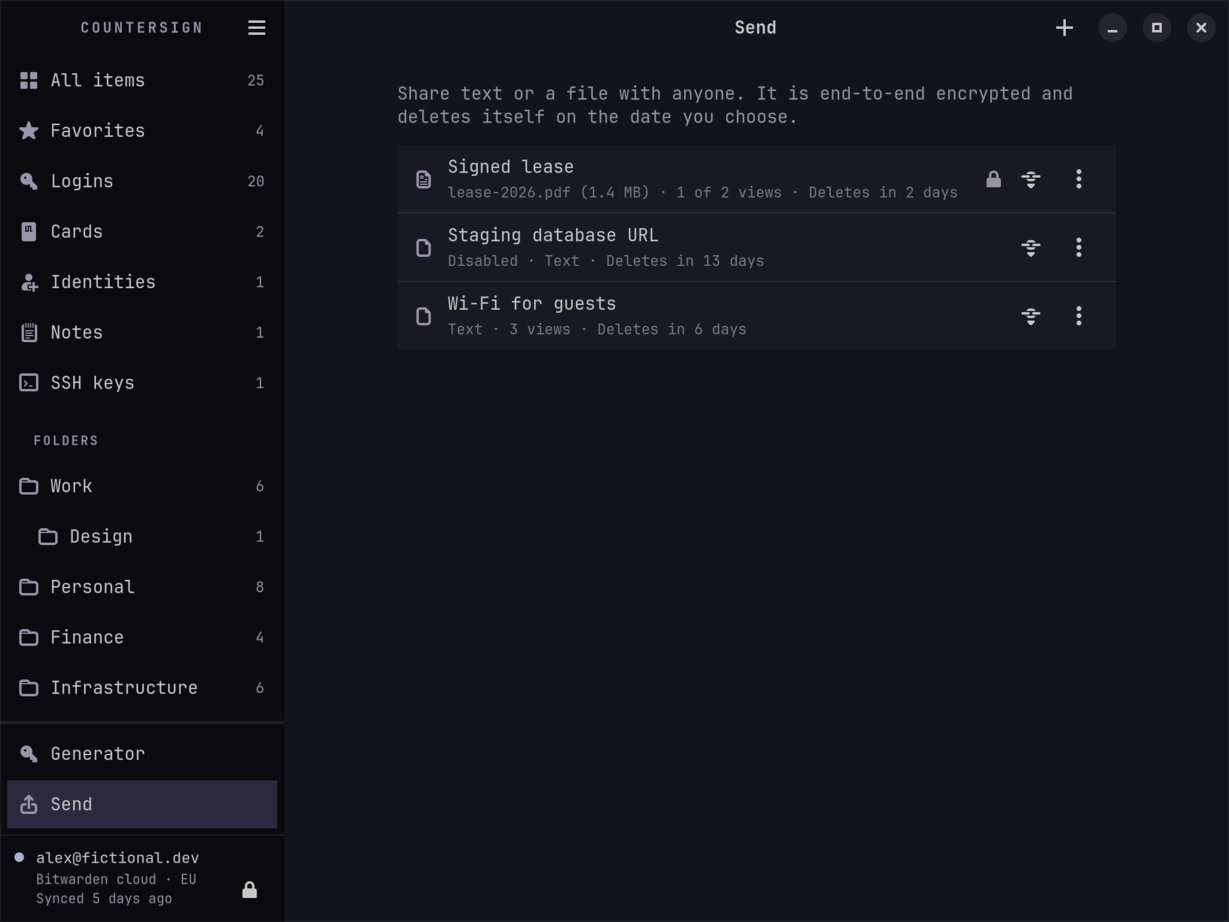
The item editor The Send page

Real screenshots of a fictional vault, in the InkyPinky theme.

Every item type
Logins, cards, identities, notes and SSH keys, with folders, organization collections, favorites, archive and trash.
Editing
Create and edit logins, cards, identities and notes, with websites and custom fields. Manage folders and attachments.
Send
Share text or a file through Bitwarden Send. A new Send's link goes straight to the clipboard.
Generator
Passwords and passphrases, without leaving the keyboard.
Masked by default
Secrets stay hidden until you reveal them. Verification codes count down live.
A clean clipboard
Copies clear after 30 seconds and skip Omarchy's clipboard history. A password gives way to its one-time code.

The mouse can stay where it is.

Enter
Copy the password, card number or note
Ctrl F/
Search
Shift Enter
Copy the username or security code
Ctrl R
Sync
Ctrl CBT
Copy the password, username or code
Ctrl L
Lock
Ctrl U
Open the website
Ctrl N
New login
Ctrl O
Show the item in the main window
Ctrl G
Password generator
Esc
Clear the search, then close quick access
Ctrl ,
Settings

It's early. Here's what isn't done.

Countersign is built and tested on Omarchy. An AUR package comes next.

Post the sentry.

Five steps. The download is checked against its SHA-256 sum before anything unpacks.